
UK-focused streaming plans
IPTV Provider UK for Flexible Streaming Plans
BritStream is an IPTV provider offering UK viewers flexible subscription options, device guidance and clear payment information. Explore the IPTV service, confirm compatibility and choose a subscription that fits how you watch. Plans start at £14 for one month.

Simple subscription pricing
Choose Your UK IPTV Subscription Plan
Pick the duration that suits you. Every plan includes the same service features, so you only need to compare the subscription period and price.
Flexible start
1 Month
£14
for one month
- 35,000+ International TV Channels
- 179,000+ Movies & TV Shows
- SD, HD, FHD & 4K Quality
- Anti-Buffer UK & EU Servers
- 99.99% Stream Uptime
- TV Catchup & EPG Guide
- Works on Every Device
- 24/7 Customer Support
- Formula 1 & MotoGP
- PPV & VPlayed Channels
- 7-Day Money-Back Guarantee
More time
3 Months
£24
for three months
- 35,000+ International TV Channels
- 179,000+ Movies & TV Shows
- SD, HD, FHD & 4K Quality
- Anti-Buffer UK & EU Servers
- 99.99% Stream Uptime
- TV Catchup & EPG Guide
- Works on Every Device
- 24/7 Customer Support
- Formula 1 & MotoGP
- PPV & VPlayed Channels
- 7-Day Money-Back Guarantee
Longer viewing
6 Months
£34
for six months
- 35,000+ International TV Channels
- 179,000+ Movies & TV Shows
- SD, HD, FHD & 4K Quality
- Anti-Buffer UK & EU Servers
- 99.99% Stream Uptime
- TV Catchup & EPG Guide
- Works on Every Device
- 24/7 Customer Support
- Formula 1 & MotoGP
- PPV & VPlayed Channels
- 7-Day Money-Back Guarantee
Full year
12 Months
£49
for twelve months
- 35,000+ International TV Channels
- 179,000+ Movies & TV Shows
- SD, HD, FHD & 4K Quality
- Anti-Buffer UK & EU Servers
- 99.99% Stream Uptime
- TV Catchup & EPG Guide
- Works on Every Device
- 24/7 Customer Support
- Formula 1 & MotoGP
- PPV & VPlayed Channels
- 7-Day Money-Back Guarantee

One service, shared viewing
A UK IPTV Service for Everyday Viewing
Choosing between IPTV providers in the UK should start with the viewing experience, compatible devices and clear subscription information. BritStream brings those details together so you can understand the service before making a decision.
Our UK IPTV service is presented around practical needs: how you plan to watch, which device you use and which subscription option suits you. Service availability and content may vary by plan, device, location and applicable rights.
- Clear information about compatible viewing devices
- Flexible subscription options for different needs
- Setup guidance before you begin watching
Content choices
Sports, Films and Entertainment in One Place
An IPTV service can make it easier to organise different types of viewing across compatible screens. BritStream presents available options clearly, helping you review entertainment categories before choosing a plan.
Content availability can change by package and region. Confirm the current selection and any device requirements before activating your IPTV subscription.

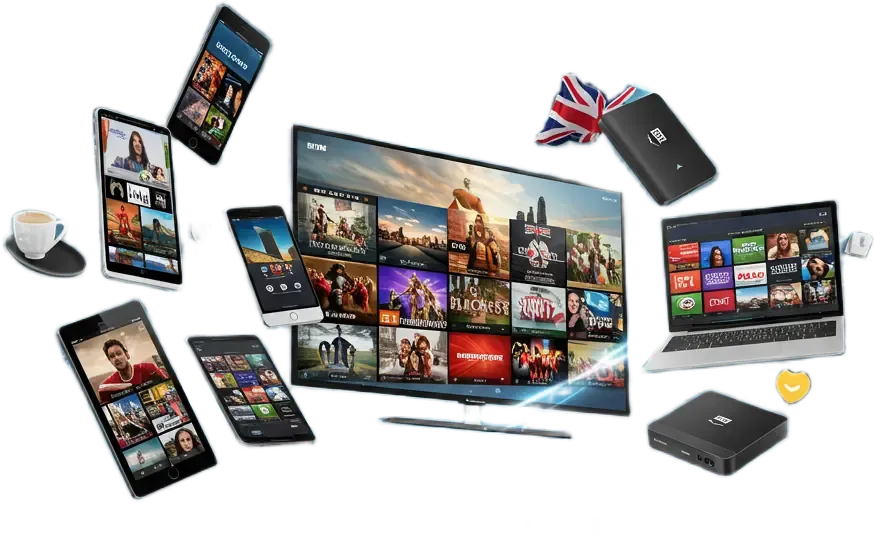
Device compatibility
Watch on Your Supported Devices
IPTV services may work across a range of televisions, streaming devices, computers and mobile screens. The exact app and setup method depend on the device and selected service configuration.
Confirm your device model and compatible application before ordering. This prevents avoidable setup problems.
Getting started
How to Start Your Subscription
A simple three-step process takes you from choosing a plan to setting up your subscription after payment.
Choose a plan
Select your subscription period and check that your device and chosen application are compatible.
Complete your payment
Open the plan’s order page, provide the requested details and complete payment before activation.
Set up your subscription
After payment, follow the setup instructions on your device and contact support if you need help.
Make the choice with confidence
How to Choose an IPTV Provider That Fits Your Home
A useful IPTV service starts with the screen you own, the programmes you actually watch and the help you can get when something goes wrong. The best IPTV choice is the one that passes those everyday checks at a price and commitment you understand.
New to British IPTV? Use the guide below to compare plans, prepare a realistic setup and avoid paying for features you will never use. The prices above stay easy to find while the extra detail is here whenever you need it.
Learn more about choosing your IPTV provider and testing your setup
Start with what your household actually watches
Think about a normal evening at home. One person wants live television, another prefers a film, and someone else may only watch at the weekend. Those habits tell you more about a suitable subscription than a long feature list. Write down a few priorities before comparing services: the screen you use most, the viewing categories you care about and whether anyone needs to watch separately.
When comparing IPTV UK options, separate essential features from occasional extras. A programme guide might matter every night, while an unfamiliar app feature might never be used. If you mainly watch on the living-room television, judge the remote-control experience there. A smooth demonstration on a phone does not tell you how comfortable the same service will feel across the room.
British IPTV can mean different things to different households. Some want familiar English-language programmes; others want international entertainment alongside them. Tell support which categories matter to you and ask for the current availability before choosing. A general description of a catalogue is not confirmation that a particular programme, channel or event will be available.
For anyone comparing IPTV United Kingdom offers from outside the country, location is another practical question. Ask whether the intended viewing location is supported and what restrictions apply. A UK-focused website does not establish worldwide access. This matters for people travelling, moving home or planning to use the same device in another country.
The best IPTV comparison starts with a short personal checklist, not someone else’s ranking. Give your IPTV provider enough detail to answer specific questions. “I use this television model and need these features” is much more useful than “Will everything work?” Keep the reply so you can check the agreed setup during your test.
Compare subscription length, total cost and device allowance
BritStream displays four starting prices: £14 for one month, £24 for three months, £34 for six months and £49 for twelve months. The right commitment depends on how certain you are about your setup and how long you expect to use it. Begin with the subscription plan comparison to open the individual options and see their order details.
For a single-device plan, those totals work out at £14, £8, about £5.67 and about £4.08 per month respectively. These are comparison figures calculated by dividing the displayed price by the duration; they are not monthly payment offers. An IPTV service should be assessed on the full amount you will pay, including any separate app charge and the device option you select.
A shorter British IPTV subscription can suit a temporary viewing need or someone who wants less commitment for your initial purchase. A longer term may suit an established setup that will be used throughout the year. Neither choice is automatically better. Paying less per month is useful only when you expect to use the subscription for the period purchased.
IPTV UK pricing also needs a clear distinction between compatible devices and simultaneous connections. Being able to install a player on several screens does not mean one connection covers all of them at once. Ask your IPTV provider to confirm the selected allowance. The twelve-month option currently lists one device at £49, two at £65 and three at £115; check the selected total before submitting.
When comparing IPTV United Kingdom packages, record the duration, connection allowance and full cost together. The best IPTV value for a household with two simultaneous viewers may differ from the best value for someone watching alone. Do not compare the cheapest headline price on one site with a multi-device price on another and assume the services are equivalent.
Check your setup after payment
Before ordering, check the total price and chosen duration, as well as any application charge. Keep your order confirmation and use the contact page if you need help with setup. Once payment is complete, follow the instructions provided and report any difficulties with your device and application.
Choose a duration, check your device compatibility and review the terms before ordering. Provide the requested details on your chosen plan page and complete payment first. After payment, follow the setup instructions and contact support if you need help with access or compatibility.
Test the IPTV service in the place where you normally watch. Use the usual television, app and home connection, with the router in its normal position. If your household typically has several devices online in the evening, test under similar conditions. An unusually quiet network can hide a problem that appears during regular use.
A sensible British IPTV test covers more than the first picture appearing. Browse the guide, change between a few relevant streams and see whether the controls are clear. If on-demand content is part of your intended use, check navigation and playback there too. Test the functions that have actually been offered for your account rather than assuming every player feature is included.
- Confirm that the account opens in the agreed application.
- Check the viewing categories you discussed with support.
- Watch long enough to notice repeated interruptions or audio problems.
- Try the remote, programme guide and any confirmed playback functions.
- Report specific problems and retest after the suggested adjustment.
IPTV UK customers can check the account settings after payment and ask support for help if anything is unclear. Your IPTV provider can explain the available options for your setup. Avoid drawing a conclusion from a single channel or a few seconds of playback.
Among IPTV United Kingdom offers, clear setup guidance helps you make an informed decision. The best IPTV experience for your household is the one that works through these ordinary checks. If a key feature fails after payment, describe the issue to support and review the refund policy.
Match the player to your television, not just its brand
Two televisions from the same manufacturer can have different app support. The model, operating system and software version all matter. Before arranging an account, find the exact model in the television settings or on its label. Give that information to support along with the app you intend to use. This makes compatibility advice much more precise.
For British IPTV on a smart television, start with the Samsung Smart TV setup guide if that matches your device. Owners of a separate streaming device can use the Firestick setup guide or the Apple TV setup guide. Follow the route for the hardware you actually own.
The player and the IPTV service are separate parts of the setup. A player displays the stream and provides controls; the account supplies access to the agreed service. Paying for an app does not necessarily buy a content subscription. Equally, purchasing an account does not mean every player is free. Confirm both parts before spending money.
IPTV UK setup instructions may refer to an M3U address or an Xtream-compatible login. Use the method supplied for your account and supported by the chosen application. Keep server addresses and passwords private, and check copied details carefully. A small typing error can look like a service failure even when the account itself is active.
IPTV United Kingdom compatibility claims should be checked against the precise model rather than read as a promise about every screen. Ask your IPTV provider how device changes work before replacing a television or moving the setup. For some households, the best IPTV arrangement is the simplest one: a supported player, a familiar remote and one clearly configured screen.
If several people share the television, let them try the interface during the test. Can they find their favourites without help? Is the programme text readable from the sofa? These small usability checks often matter more over a year than a feature that looks impressive in a screenshot.
Check connection stability as well as picture resolution
A sharp picture depends on several things working together: the source stream, the application, the screen and the connection reaching it. A 4K-capable television does not turn every programme into 4K. Likewise, a fast broadband package does not prove that the Wi-Fi signal beside the television is stable. Test the actual viewing setup before judging its quality.
For IPTV UK households, start with the basics if playback pauses. Note whether the problem affects one stream or several, then check whether other internet applications behave normally. If the device supports a wired connection and a cable is practical, compare Ethernet with Wi-Fi. Change one setting at a time so you can tell which adjustment made a difference.
A British IPTV setup in a bedroom may behave differently from one beside the router. Walls, distance and competing wireless traffic can affect the connection. Moving the router or device slightly may help, but keep ventilation and safe cable placement in mind. Repeat the test in the location you intend to use permanently rather than leaving the equipment in an impractical position.
For any IPTV United Kingdom package, treat “HD” or “4K” as a capability to verify on the available streams, not a guarantee about every programme. Try a lower available quality setting when diagnosing interruptions. If that improves playback, tell your IPTV provider what changed; it is useful evidence, although it does not identify the cause by itself.
The best IPTV troubleshooting is specific. Record the approximate time, player version, device model and whether the problem is buffering, missing audio or a login error. Your IPTV service support team can work with that information far more effectively than a message saying only that the television is not working.
Keep your test realistic: use the resolution you want to watch, the usual room and the normal household network load. Do not buy extra equipment until the likely cause is understood. A different cable, app setting or account correction may address the issue without replacing a television or router.
Look beyond catalogue size to the features you use
A large catalogue is only useful when you can find something you want to watch. Ask about your preferred categories, programme language and the guide available in your player. Check the current selection during the test. Availability can change, and a broad entertainment description should not be treated as a guarantee about a specific title or live event.
British IPTV viewing often centres on familiar programmes, but international and multilingual households may have a different shortlist. Make your priorities explicit. If subtitles or alternative audio are essential, check those options on the actual content and device. Their availability can depend on both the source and the application.
IPTV UK buyers should also distinguish live television, catch-up and video on demand. Live television follows a schedule. Catch-up, where offered, makes selected previous broadcasts accessible. Video on demand lets you choose from an available library. Having one feature does not automatically establish the availability of the others, and player menus can show functions your account does not support.
An IPTV service with an electronic programme guide can make browsing easier, but check whether the listings match the stream and local time. A wrong time-zone setting can make a working guide look inaccurate. Save a few favourites during the test and see whether the player keeps them after reopening. These everyday tasks reveal how convenient the setup will be.
When reviewing IPTV United Kingdom options alongside French-language services, keep the audiences and packages separate. Readers looking specifically at France can also visit france iptv to review VueIPTV’s information. Check that site’s own availability, terms and support arrangements; it is a separate website.
The best IPTV catalogue for you is the one that covers your priorities with usable navigation. Ask your IPTV provider about any must-have programme before ordering, and use only content you are authorised to access. Avoid making a long commitment around a single title whose continued availability has not been confirmed.
Know how support and the seven-day refund policy work
Support is easiest to use when the contact route is clear before you need it. Keep your order reference and the email used for your request. You can reach BritStream through the contact page to describe a setup question or technical problem. Include enough detail to identify the account without sharing passwords in a public comment or screenshot.
If British IPTV playback stops unexpectedly, explain what was happening immediately before the problem. Was the device updated, the router changed or a second screen started? A short sequence of events is more useful than several disconnected messages. Include any exact error message and say whether the problem is consistent or intermittent.
For IPTV UK orders, read the seven-day refund policy before paying. BritStream’s stated policy allows a refund request within seven days of initial paid activation when a reported technical problem cannot be resolved by support, subject to the conditions on that page. Contact support during that period and allow a reasonable opportunity to troubleshoot.
An IPTV service refund policy is different from an unconditional promise that every change of mind will be refunded. Read the situations covered and excluded, along with the request process. If something is unclear, ask before confirming the purchase. The policy page explains the full terms and the statement about applicable statutory rights.
Across IPTV United Kingdom providers, good communication includes clear next steps. Ask what to test, what result to report and how to continue the conversation. The best IPTV support interaction leaves both sides with the same understanding of the issue. Your IPTV provider should not have to guess which screen or account a message concerns.
Before sending a diagnostic screenshot, crop unrelated personal information and hide login details. Keep a record of the advice and whether it helped. If the problem remains unresolved, a concise history makes the next review easier and gives you the information needed for a policy request.
Make the final choice with a short, practical checklist
By this stage, you should know which screen you will use, which features matter and whether the planned setup suits your normal conditions. Choosing an IPTV provider becomes much simpler when those questions have clear answers. You do not need to master every technical term; you need a setup you can use and an agreement you understand.
For IPTV UK subscriptions, check the total again on the plan page, especially if you changed the device count. Confirm the duration and when paid access starts. Ask how renewal is handled rather than assuming either automatic renewal or automatic cancellation. Keep the confirmation so the dates and selected option are easy to find later.
Compare IPTV United Kingdom offers using the same criteria each time: your required content, supported hardware, connection allowance, full price and support terms. That keeps a flashy feature list from distracting you from something essential. The account that suits a single viewer may not suit a household watching on separate televisions.
- The exact device and chosen application have been checked.
- The important viewing categories have been checked with support.
- The simultaneous-device allowance matches the household’s needs.
- The full subscription cost and any separate app fee are understood.
- The setup requirements, support route and refund conditions are clear.
- The start date, duration and renewal arrangements have been confirmed.
If all those points are covered, open the plan that matches your preferred duration and submit your details. Complete payment before BritStream arranges activation and setup. If one point is still uncertain, ask about it first. A short conversation now is easier than discovering a mismatch after choosing a longer subscription.
Once your IPTV service is running, keep the setup details somewhere private and accessible. Note the app name, the device used and the support contact. If you later replace the screen or change your home network, those details will make it easier to explain the change and check whether the existing account configuration still fits.
Common questions
IPTV Provider UK FAQs
Answers to practical questions about providers, subscriptions, devices and setup.
What should I look for in an IPTV provider in the UK?
Compare device compatibility, subscription terms, setup information, service transparency and support details. Avoid choosing an IPTV provider based only on a low price or an unverified content claim.
How can I buy an IPTV subscription?
First review the available subscription options, confirm that your device is compatible and check the setup requirements. Select a plan once the service details match your viewing needs, then complete payment before activation.
Which devices can use the IPTV service?
Compatibility varies by device model, operating system and application. Common categories include smart televisions, streaming devices, phones, tablets and computers. Confirm the exact model before ordering.
Does every UK IPTV subscription include the same content?
No. Content and features can vary by plan, device, region and applicable rights. Check the current plan information before activating a subscription.
Start with the right information
Choose an IPTV Subscription That Fits Your Setup
Review your device, compare the available options and understand the setup requirements before selecting a subscription.