
Apple TV setup guide
IPTV on Apple TV UK: A 7-Step Setup That Actually Works
Setting up IPTV on Apple TV UK starts with one important check: you need an Apple TV model with the App Store, a legitimate playlist or account, and a tvOS player that accepts the format supplied by your provider. The steps below keep the setup simple, private and easy to troubleshoot.
Check the model first
Can Your Apple TV Install an IPTV Player?
Apple TV 4K and Apple TV HD can download applications from the tvOS App Store. Apple TV third generation cannot install new App Store apps, so it is not suitable for this method. That single distinction prevents a lot of wasted time.
Best fit for the guide because it supports the tvOS App Store and modern streaming applications. Apple TV HD
Also supports App Store downloads, although final picture quality depends on the hardware and source. Apple TV third generation
Built-in apps can update, but new applications cannot be downloaded from the App Store. Apple TV app on a smart TV
This is not the same as an Apple TV box and cannot install tvOS IPTV players.
Apple’s official instructions confirm that apps can be downloaded on Apple TV 4K and Apple TV HD. If the App Store icon is missing, identify the hardware model before changing network or account settings.
You will also need an Apple Account, a television with a free HDMI input, and either Wi-Fi or Ethernet. Some Apple TV 4K models are Wi-Fi only, so check the ports on the box rather than assuming an Ethernet socket is available.
Know what you were sent
M3U or Xtream: Which Details Go Into the App?
An IPTV player does not normally include channels. It organises a lawful stream source that you add yourself. Before installing an app, look at the details supplied with your authorised service.
A long web address ending in parameters such as a username and password is usually an M3U playlist URL. Separate fields for server address, username and password usually indicate an Xtream-compatible login. Do not paste one format into fields designed for the other.
The clean setup sequence
How to Set Up IPTV on Apple TV UK
App menus change, but the underlying process is consistent. Complete the steps in order and test playback before adjusting advanced settings.
- Connect and update Apple TVConnect the box to the television with HDMI, complete the Apple setup and install any available tvOS update from Settings > System > Software Updates.
- Open the tvOS App StoreSearch for an IPTV player that supports the login format you received. Read the compatibility, privacy and in-app purchase information before installing it.
- Choose the correct sign-in methodSelect M3U, Xtream-compatible login or the exact method named by your provider. A player such as UHF on the UK App Store is one example that lists both M3U8 and Xtream support; availability and features can change.
- Enter the account carefullyUse the full server or playlist address, including https:// or http:// when supplied. Usernames and passwords are case-sensitive, so copying is safer than typing with the remote.
- Let the library finish loadingA large channel or on-demand library may take time to index. Avoid repeatedly closing the app while categories, artwork and guide data are still appearing.
- Test three types of contentOpen one live stream, one on-demand title and the programme guide if included. This separates a single broken item from an account-wide or network problem.
- Save a simple baselineKeep the default player engine and picture settings for the first test. Change one option at a time only when a specific stream has a visible problem.
Use only streams and subscriptions you are authorised to access. The player is a viewing tool; it does not make an unauthorised source legitimate.
Stability before speed claims
Build a Reliable Apple TV IPTV Connection
Streaming quality depends on more than the headline broadband speed. Wi-Fi interference, router placement, background downloads and the individual stream can all affect playback.
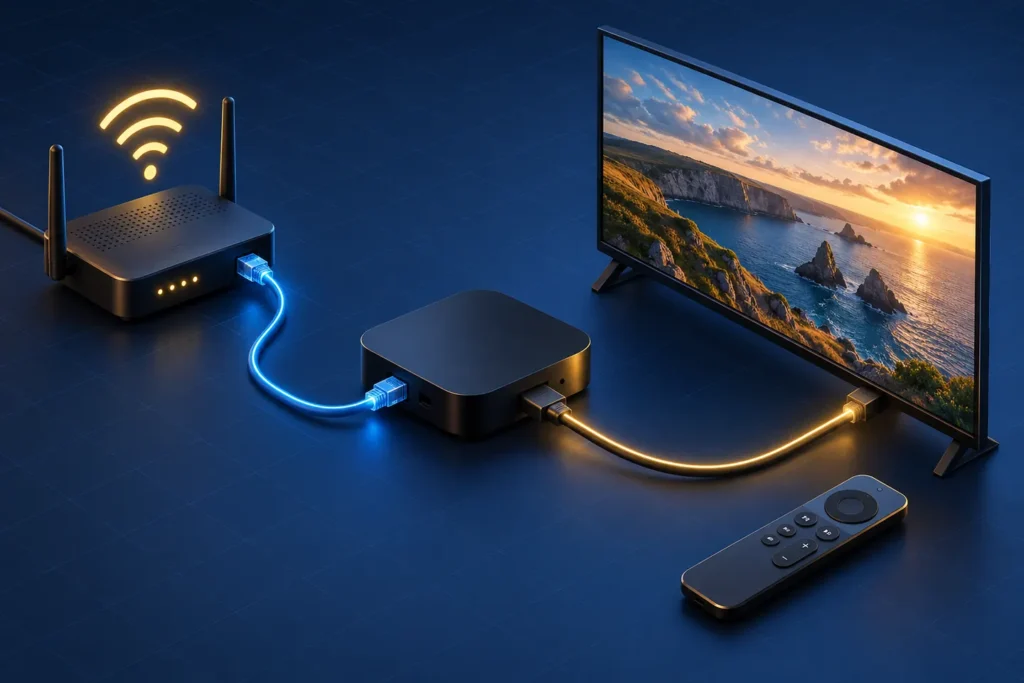
- Use Ethernet when the Apple TV model has a port and a cable can reach the router cleanly.
- For Wi-Fi, keep the box in open space and avoid hiding it behind metal equipment.
- Pause large downloads during testing so the result reflects the stream rather than a busy home network.
- Test a second channel before deciding that the whole service is down.
- Keep tvOS and the selected player updated, but avoid changing several settings at once.
Apple explains that an Apple TV with Ethernet will use the wired connection automatically. Its Apple TV network troubleshooting also covers forgetting a Wi-Fi network, restarting the box and checking software updates.
Fix the cause, not the symptom
Apple TV IPTV Troubleshooting Without Guesswork
Start with the symptom you can see. Record what works as well as what fails; that information is more useful than reinstalling everything.
The playlist will not load
Check whether the app expects M3U or separate Xtream fields. Confirm the complete server address, remove accidental spaces and test the same credentials only through an authorised method. If every device rejects them, ask the provider to verify the account.
Live TV buffers but on-demand video works
Try another live channel, restart Apple TV and the router, then compare Wi-Fi with Ethernet if the model supports it. A problem limited to one stream should be reported with its exact name and time.
There is a picture but no sound
Test another title and audio track, review the app’s player-engine setting and confirm the television or soundbar supports the selected audio format. Keep the default engine unless a repeatable audio issue gives you a reason to change it.
The programme guide is empty or shows the wrong time
Refresh the EPG inside the player, confirm the guide URL if one was supplied separately and check the time zone in Apple TV settings. Guide data can lag behind working video, so test playback independently.
The app closes while loading a large library
Restart the box, update the app and remove unused playlists. If the player offers category hiding or playlist splitting, use it to reduce the amount of data shown at once.
Before choosing a long plan
Test the Exact Apple TV Setup You Will Keep
Use the same Apple TV box, television, player and home network during the test. Moving to a different app or network immediately afterwards makes any later fault harder to isolate.
A short testing period gives you time to assess navigation and everyday playback. If the setup is already familiar, compare all durations on the IPTV Subscription Plans UK page.
Clear answers
IPTV on Apple TV UK FAQs
Can I install an IPTV app on every Apple TV?
No. Apple TV 4K and Apple TV HD support App Store downloads. Apple TV third generation cannot download new apps, and the Apple TV app built into a smart television is not a tvOS device.
Which IPTV app is best for Apple TV in the UK?
The best choice is the reputable tvOS player that supports your supplied login format, receives current updates and has privacy terms you accept. App availability and pricing change, so check the current UK App Store listing before installing.
Is M3U better than an Xtream-compatible login?
Neither format automatically improves picture quality. They are different ways to add the same authorised source. Choose the method your provider supplies and the player supports.
Does Apple TV need Ethernet for IPTV?
No. A stable Wi-Fi connection can work well. Ethernet can remove wireless interference when both the Apple TV model and home layout support a wired connection.