
A practical login guide
Xtream Code UK 2026: 7 Smart Checks for Setup & Fixes
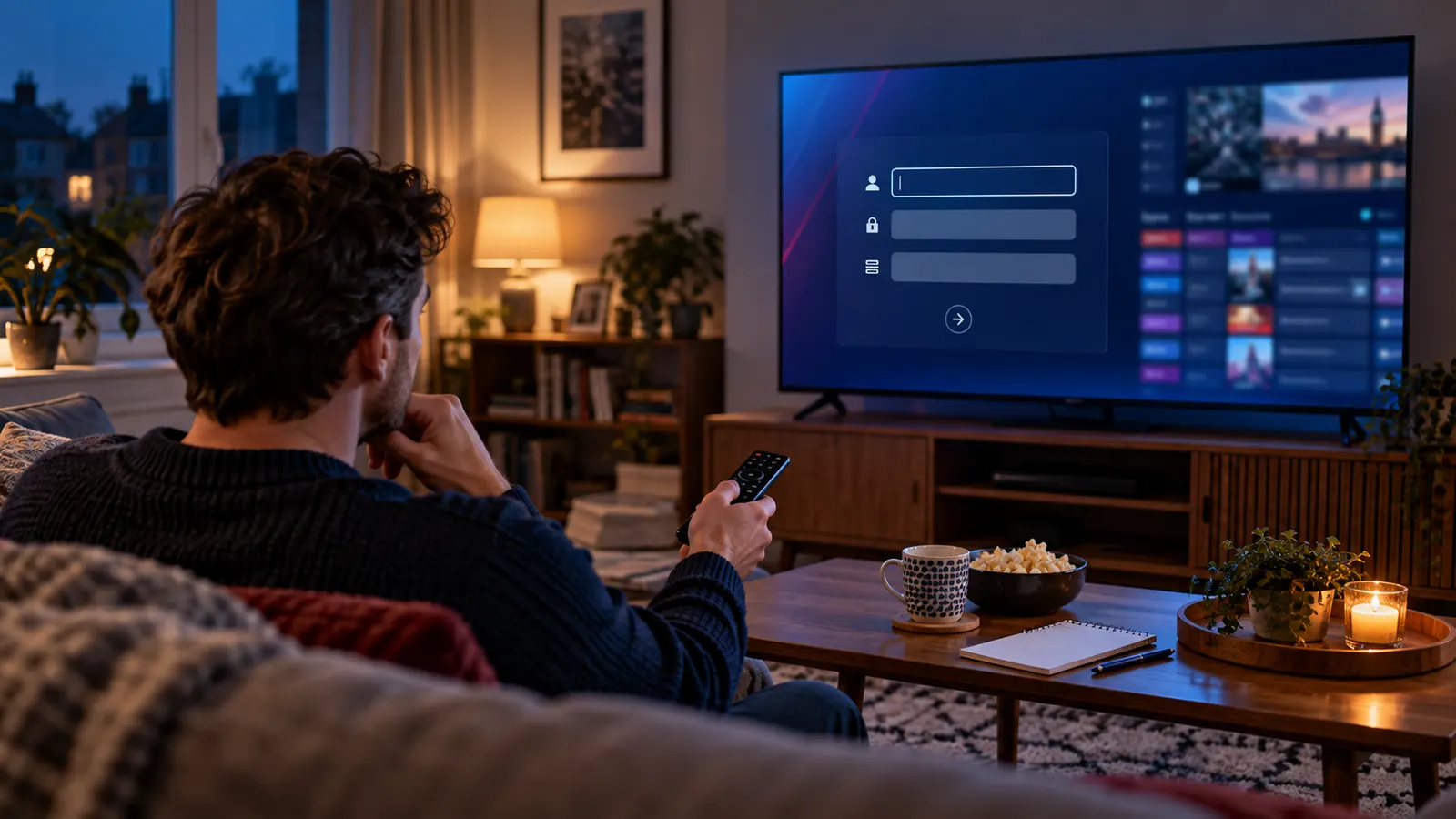
An Xtream code UK 2026 search often begins with a frustrating little moment: the television asks for three details, but your message contains a long link—or the login works and the guide is still empty. This guide helps you identify the right format, enter it safely and work out what failed without changing five settings at once.
The short answer
An Xtream-compatible login is a way for a player app to connect to an authorised TV service using a server address, username and password. It is not an app, a channel package or a promise of picture quality. Choose the Xtream Codes or API login option in a compatible player, enter the three details exactly as supplied, then check login, channels, playback and programme-guide data separately. If you have only one long M3U URL, use the playlist option instead—or ask your service which format it supports.
That distinction sounds small. It prevents most of the time-wasting advice found in generic setup pages: reinstalling a player when an account has expired, buying another device when the server address is mistyped, or changing a network setting when only one programme-guide category is missing.
Separate the parts
What does an Xtream code actually do?
Imagine arriving at a cinema. The player app is the building and its seats; your service is the film programme; the login tells the staff which booking to look up. A different building cannot invent a ticket, and a valid ticket does not repair a broken projector. An Xtream-compatible account works in a similar way: the app sends your credentials to the service endpoint and, if accepted, requests the material your account is permitted to access.
Many players can then present live groups, films, series and an electronic programme guide (EPG) as separate areas. What appears depends on the service, your account and the app’s support for each feature. The login method itself does not provide channels, create a catch-up library, increase resolution or fix an unreliable source. This is why a polished app interface and a high-quality viewing service are related choices, but not the same purchase.
The wording can vary: an app might say Xtream Codes API, XC login, server login or simply username and password. Look for three separate credential fields. An activation code printed by an app, a MAC-address portal and a single M3U link are different routes; do not force their details into the wrong boxes.
Before touching the remote
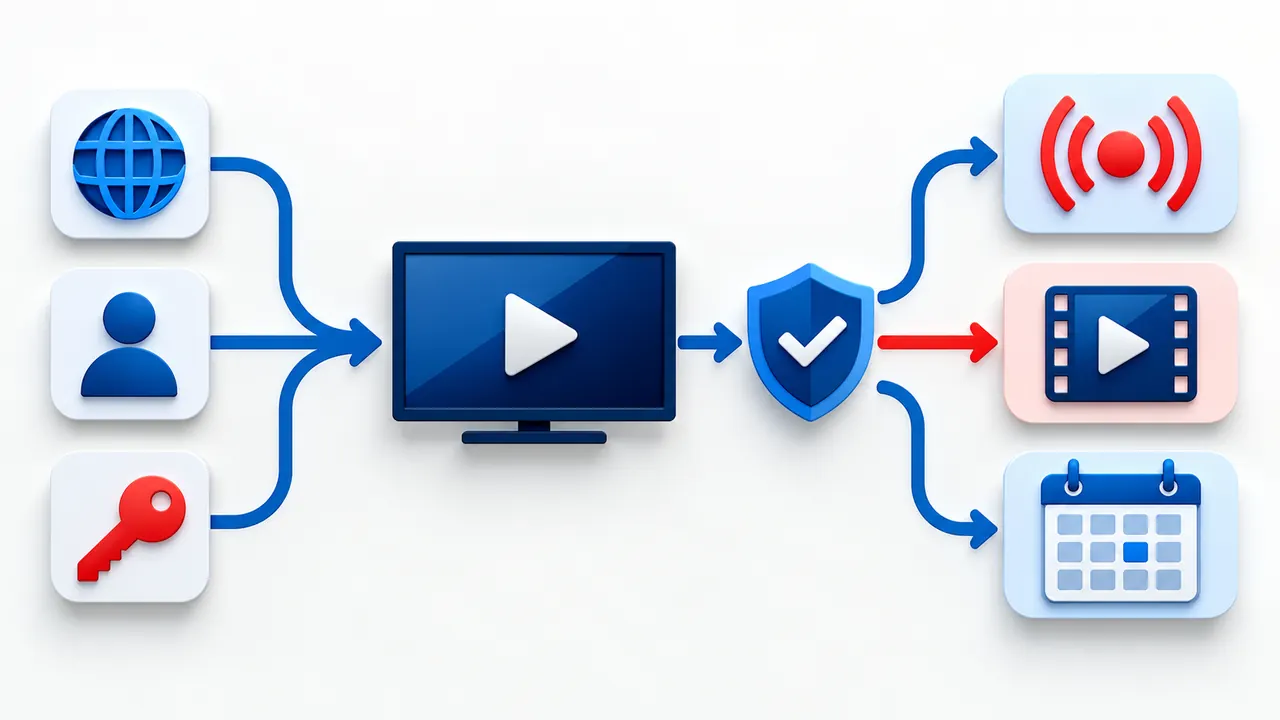
Read the three fields before you enter anything
Server address. This is the endpoint supplied with your account. It may begin with https:// or http:// and may include a port after the hostname. Copy the entire address exactly. Do not add a port because another tutorial uses one, remove a path you do not recognise, or change HTTP to HTTPS just to make the address look safer: those changes may point to a different endpoint. If only HTTP was supplied, ask whether your provider offers a secure HTTPS endpoint before entering private credentials, especially on an unfamiliar network.
Username. This is an account identifier, not automatically your email address. It can contain mixed case or characters that look alike on a TV keyboard. The letter O and the number 0 are frequent culprits. Check the original message rather than guessing from a screenshot that has been resized by a messaging app.
Password. Treat it as a secret. Paste it where possible, preserve capital letters and punctuation, and remove spaces accidentally copied from the beginning or end of a message. A companion-phone keyboard may be easier than a television remote, but only use the player publisher’s legitimate pairing method. Never paste the password into a public “code checker”, comments section or support screenshot.
If your message contains a URL ending in a long string of parameters rather than three separate values, you may have an M3U playlist. It can carry credentials inside the link itself, so keep it private too. Ask for the corresponding Xtream login only if your service supports it; avoid extracting credentials into third-party websites. If you received a portal address and a device identifier, use a player designed for that portal instead of this guide’s three-field route.
One change at a time
Xtream Code UK 2026 setup: seven checks that save time
- Confirm what you received. Put the original service message beside the player screen. Identify a server URL, username and password. If one is absent, ask the service for the missing detail; do not invent it from a generic guide.
- Choose a player that supports the format. On your actual device, search its normal app store or the publisher’s official source. Check the listing for an Xtream-compatible login. A phone app with the same name as a television app may have a different menu or subscription fee.
- Check the device’s ordinary internet connection. Open another trusted app or run the device’s network test. If the whole device is offline, resolve that first. A login form cannot diagnose a disconnected router.
- Open the correct login screen. Select Xtream Codes or the app’s equivalent three-field option—not “Load M3U file” or a portal/MAC screen. Enter the server address with its supplied scheme and port, then the username and password. A local profile name can be whatever helps you recognise it.
- Let the first sync finish. Some apps fetch categories, posters and EPG data after accepting the login. Do not interrupt that process repeatedly or assume the whole account has failed because one section appears later than another.
- Test the account in layers. Can you sign in? Are channel groups visible? Does one live item play with sound and picture? Are VOD items present if your account includes them? Is the guide populated and timed correctly? Write down the first layer that fails.
- Escalate with useful details. If one layer fails, send support the device model, player name and version, exact error wording, connection type and time of the test. Never send a full password or a public screenshot containing your private URL.
The order matters more than the choice of shiny app. It separates a formatting mistake from a service problem before you buy accessories or reset the television. It also gives support a reproducible symptom. If you are still selecting hardware, our IPTV device guide hub helps you start with the equipment already in your home.
The screen changes, not the idea
What changes on Fire TV, Samsung TV, Apple TV and phones?
Fire TV Stick and Android-based streaming devices
These devices run their own app stores and remote-friendly players. Search for a player supported by your exact Fire TV or Android build, open its playlist setup and choose the three-field option. If the installer you found is a random short code or modified download, pause and verify its publisher before installing. Amazon’s Fire TV app instructions describe the normal store route. Our IPTV on Firestick UK guide covers the device setup, while the Firestick player comparison looks at everyday app usability.
Be careful with similarly named products. A premium licence for a player may unlock player features, but it does not grant a TV subscription. Conversely, buying a service account does not necessarily pay the player publisher’s activation fee. Keep both receipts and support contacts separate so you know who can resolve which issue.
Samsung Smart TV
A Samsung television uses Samsung’s own app catalogue. The availability of an Xtream-compatible app can vary by model, software and region, so “works on all Samsung TVs” is not a reliable answer. Samsung UK says downloading an app requires a Samsung account and gives the usual Home → Apps → Search → Install route in its app-management guidance. If your chosen player does not appear, do not try to install an Android APK directly on the TV. Check the model and consider a supported alternative or a separate HDMI streaming device. The Samsung TV setup article walks through that decision.
Apple TV and iPhone
On Apple TV, choose a tvOS player from the App Store that explicitly supports the login format you hold. The iPhone edition of an app does not prove its Apple TV edition has identical options or pricing. Enter credentials on the TV only through the app’s own screen or verified companion method. Our Apple TV guide covers tvOS compatibility and the practical checks after installation. On a phone, mobile data introduces another variable: compare Wi-Fi and mobile playback before deciding the account is broken.
LG and other smart TVs
“Smart TV” is not one operating system. LG, Samsung, Roku and Android TV have different app catalogues and rules. Match the player to the exact TV model rather than choosing an app because a review shows it working on a different brand. If the TV store offers only an M3U-compatible player and your account arrived as three fields, ask your provider for a supported playlist format; do not paste a password into a random conversion tool.
A successful login is only stage one
How to tell whether the setup really works
Many guides end when the app displays a channel list. That is a poor stopping point. An account may authenticate while one catalogue is unavailable, a guide import is late, or playback fails. Give yourself a short, repeatable test. First, load the profile without an error. Second, open a category you expect to have. Third, play one authorised live item long enough to check picture and sound. Fourth, try an on-demand title only if your plan includes one. Fifth, inspect the EPG for the correct UK programme times.
Record what succeeded as well as what failed. “Login accepted, groups visible, live item freezes after a few seconds, VOD plays” is far more useful than “Xtream code not working.” It suggests different next checks from “wrong password” or “app closes before the login screen.” If the app shows a concurrent-device warning, review the number of active connections allowed on the account rather than retyping the URL.
Try the test at the time you will actually watch. A daytime check says little about an evening problem caused by a busy home network or a particular source. Compare the same item on one device and one connection before changing anything. If a familiar video app also struggles, investigate the household connection. If every other app works and only one stream fails, the account or source deserves closer attention.
Choose the format that fits
Xtream login, M3U link or portal: which is yours?
| What you have | Likely route | What to check |
|---|---|---|
| Server URL, username, password | Xtream-compatible / API login | Use three separate fields. Keep the supplied scheme and optional port unchanged. |
| One private URL or playlist file | M3U playlist input | Check whether EPG needs a separate XMLTV address and whether the app accepts URL or file. |
| Portal address plus device identifier | Portal / MAC-compatible app | Use the authorised device and the provider’s pairing instructions. It is not an Xtream login. |
| Short activation or pairing code on the screen | App-specific pairing | Use only the publisher’s official pairing page; ask whether it has a separate fee. |
An Xtream-compatible API can organise account data into convenient sections. An M3U link is often a simpler playlist entry. Neither format guarantees faster playback, better legal rights or a larger catalogue. The best format is the one your authorised service supplies and your trusted player handles reliably. If both are offered, test each with the same device and source before declaring a winner.
There is also a privacy difference in everyday use: a long M3U URL may contain your credentials within it, making it easy to expose accidentally when you share a screenshot or browser history. Three separate boxes are easier to review, but the password is still sensitive. In either case, keep the details in a password manager or another private place and remove them from public help requests.
Work from symptom to cause
Why does an Xtream login fail when the details look right?
Start with the exact message on the screen. “Invalid credentials”, “cannot connect”, “playlist loaded but nothing plays” and “no programme information” are different failures. Treating them as one problem encourages random fixes and makes it harder to know what actually helped.
| What you see | First useful check | Avoid doing first |
|---|---|---|
| Invalid username or password | Re-copy each field from the original message; check case, spaces and account status. | Changing DNS or resetting the TV. |
| Cannot reach server | Check the complete address, scheme, optional port and the device’s normal internet access. | Guessing another server or posting the URL online. |
| Login works; channel list empty | Ask whether the account includes that category and refresh the player once. | Assuming the player itself supplies channels. |
| List loads; playback buffers | Compare another item and a familiar video app; then test Wi-Fi against Ethernet if possible. | Buying a faster plan without evidence. |
| Picture works; guide blank | Check app EPG refresh, time zone and whether the provider supplies guide data. | Reinstalling the whole app immediately. |
| One device works; second fails | Review simultaneous-connection limit and whether the second app supports the same format. | Sharing one credential with more people. |
When the address has a port or a path
A colon followed by digits after the hostname is often part of the supplied address. A path after the hostname can also be significant. Copy what was given; a working address is not necessarily just the domain name. If someone sent a screenshot instead of copyable text, request a text version rather than trying many visually similar combinations. You should never need a “universal UK Xtream server”—there is no such address for every service.
When the player opens but keeps buffering
Buffering happens after the login stage. It can involve a weak Wi-Fi signal, another device using the connection, an overloaded source, the specific channel, or the player’s decoder. First compare two different authorised items. Then compare the same item on the same device using Ethernet if convenient. Only then consider player settings, using its documented options. A wired connection can remove local wireless interference, but it cannot repair a failing upstream stream; a VPN cannot manufacture bandwidth or content rights.
When the EPG time is wrong
Check the television or streaming device clock and the app’s programme-guide refresh. In the UK the local clock changes between GMT and BST during the year; an offset of exactly one hour is a clue worth reporting rather than proof that the server is down. Some players let you adjust an EPG time offset, but do that only after confirming the device time and whether other guide entries are equally wrong. If no guide data was supplied for a channel, changing the clock will not create it.
When an app crashes before login
That is usually an app or device issue, not proof that the three credentials are invalid. Check for software updates, close and reopen the app, and reinstall from the official store if needed. On Samsung TV, the manufacturer’s app troubleshooting page recommends a soft reset and updates before a Smart Hub reset. The latter signs you out of other apps, so it belongs at the end—not as the first answer to a failed IPTV login.
An honest UK checklist
What to ask before choosing a service in 2026
Ask what device and login format the service actually supports. Ask whether a separate player licence is required. Ask what the account includes, how many simultaneous connections are permitted, whether guide data is available for the channels you care about, and how support handles an incomplete or failed test. These questions are more useful than a headline claiming “8K” or “zero buffering.” A login protocol cannot verify the source resolution, network reliability or broadcaster rights behind a catalogue.
For a fair comparison, test on the equipment you own. A demonstration on the seller’s phone does not prove that a Samsung app appears in your UK TV store, or that a Fire TV player accepts the supplied credentials. Read the terms and refund conditions before paying. BritStream’s subscription options describe a request-and-test-before-payment process; the practical device check should come before committing to a longer period.
Content rights deserve a separate question. IPTV is a delivery technology; whether a particular stream is lawful depends on authorisation from rights holders. The UK Intellectual Property Office’s guidance on illicit streaming devices explains that otherwise ordinary devices become problematic when adapted to access content without permission. An Xtream login, a paid bill, a VPN or a smart-looking player does not by itself establish that a source is licensed. If rights information is unclear, ask the provider rather than assuming.
Get a useful answer faster
What to send support—and what to keep private
A good support request is short and specific: “Fire TV Stick 4K, player version shown in Settings, login accepted at 20:15 UK time, live categories visible, one item freezes after about 30 seconds, another plays, Wi-Fi connection, other video apps normal.” Replace those details with your real observations. This tells a technician which stage to investigate. If the app provides an error code, include the code and the screen where it appeared.
Do not send your full password, a complete M3U URL, a server address with embedded credentials, or photos showing personal account data in a public forum. If a provider needs to verify your account, use its verified private support channel and share only the minimum it requests. Do not install a remote-control tool or grant device access just because an unsolicited helper says they can “unlock” your code.
If you are still unsure whether your problem belongs to the device, app or service, describe the last stage that worked: device online → login accepted → categories visible → item plays → guide populated. That five-part sequence is the real shortcut. It gives both humans and search tools a clearer answer than a page of repeated “best Xtream IPTV” claims.
Questions people actually ask
Xtream code UK 2026 FAQs
Is an Xtream code the same as an IPTV subscription?
No. It is a login method. A compatible app can use the server URL, username and password for a separate authorised service. The app and the service may have different publishers, fees and support teams.
Can I use the same details on two devices?
Only if your account’s terms permit the number of simultaneous connections you need and each device has a compatible player. Logging in on two devices does not automatically mean two streams may play at once.
Can I turn an M3U link into Xtream credentials?
Some services offer both formats, but do not paste a private M3U URL into an unknown conversion website. Ask your provider for the three-field login or keep using the playlist option supported by your app.
Does Xtream Codes mean 4K, 8K or no buffering?
No. The login format does not determine stream resolution, source capacity, household bandwidth or player decoding. Test the specific authorised content on your actual device and connection.
Why do channels appear but the TV guide is empty?
Guide data may still be syncing, may require a refresh, or may not be provided for those channels. Check the device clock and app EPG setting, then ask the service whether guide data is included.
Do I need a VPN to use an Xtream login in the UK?
Not because of the login format itself. A VPN does not grant content rights or fix a broken account. Consider privacy and network choices separately, and use only services with permission to distribute the content you watch.
Next sensible step
Test the login on your own device before choosing a plan
Check the app, enter the supplied details and run the five-stage test. Once the setup works as expected, compare the four BritStream plan lengths rather than choosing a duration based on a headline alone.
Compare IPTV plansEditorial note: this guide explains a technical login format and does not certify a third-party content catalogue or app. Device menus and app availability can change. Technical references: Samsung UK app support, Amazon Fire TV app support and UK IPO streaming guidance.