
Independent hardware buyer’s guide
IPTV Box UK: What to Buy (and What to Avoid) in 2026
An IPTV box is the small device that turns an ordinary television into an internet-streaming screen. It is not the subscription, it does not magically create channels, and—despite what one suspicious marketplace listing may imply—it cannot butter toast while decoding 8K.
The 30-second answer
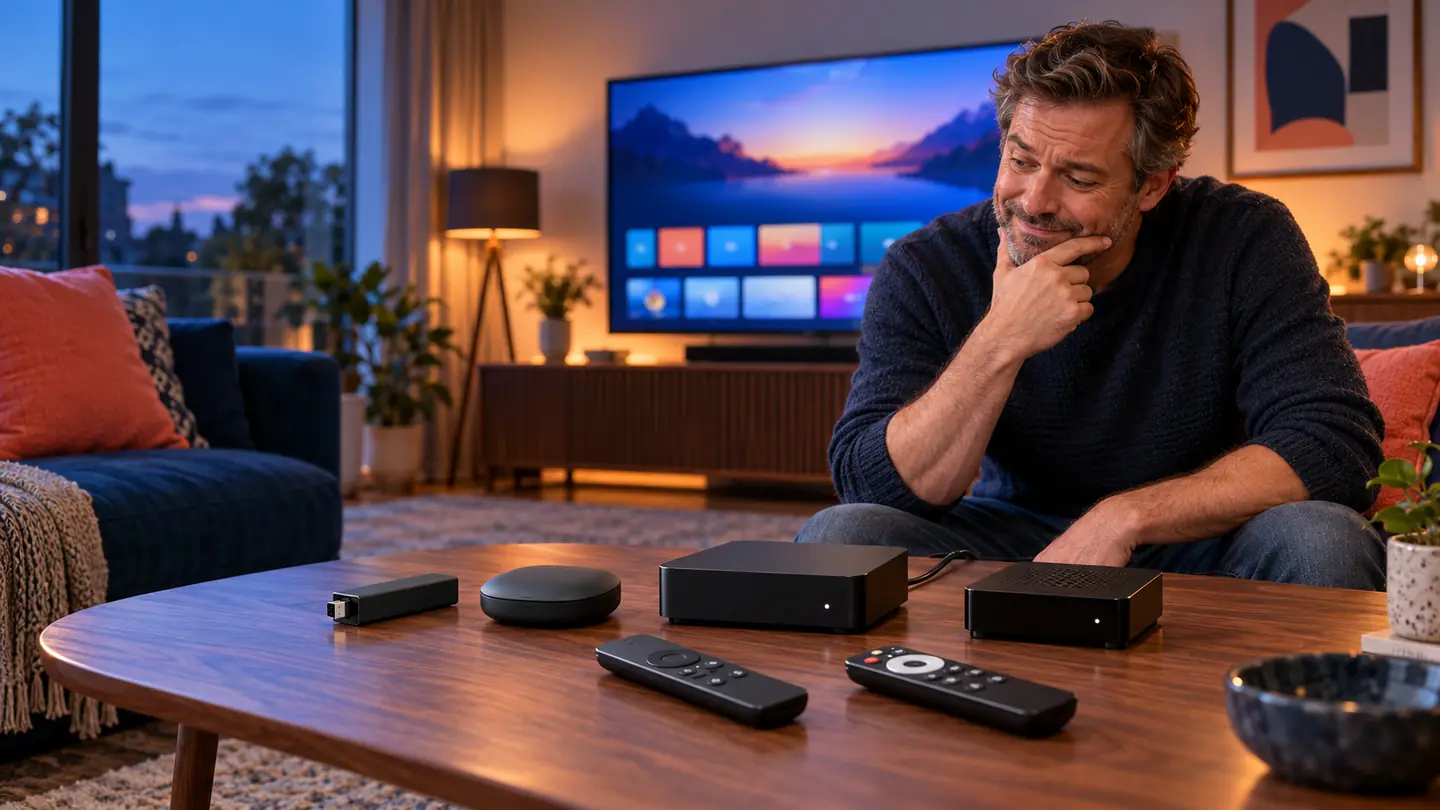
Choose the platform before the processor. A certified Google TV or Fire TV device suits most UK households; Apple TV is the polished choice for an Apple household; a Formuler-style box suits viewers who want a television-like programme guide and remote; and a MAG-style receiver only makes sense when a legitimate service specifically requires its portal system. Prioritise app compatibility, software updates, Ethernet or strong Wi-Fi, codec support and a remote you can actually use in the dark. Avoid anonymous “fully loaded” boxes, lifetime-channel promises and uncertified Android devices.
The IPTV box that promised the moon
Meet Dave. Dave only wanted Saturday football on the main TV and a decent film afterwards. At 11:47 on a Tuesday night, however, an advert offered him an “ULTIMATE 8K PRO MAX 128G SUPER BOX” with a photograph containing more lightning bolts than a heavy-metal album cover.
The price looked cheerful. The promises looked heroic. The brand name appeared to have been assembled by a cat walking across a keyboard. Dave clicked Buy now.
Three days later, the box arrived. It claimed to have a modern app store but used a phone interface stretched across a 55-inch television. The remote needed the precision of keyhole surgery. One popular streaming app refused to play in HD, the security update was old enough to remember lockdown, and the “gigabit” network port quietly behaved like a much slower one.
Nothing here is unusual. The IPTV box market mixes excellent mainstream streamers, capable specialist receivers and bargain-bin mystery hardware in the same search results. Product pages emphasise RAM, storage and enormous resolution badges because numbers are easy to sell. Day-to-day quality depends on less glamorous things: certified software, app support, video decoding, network stability, thermal design and updates.
This guide gives Dave—and you—a calmer way to choose.
What is an IPTV box—and what is it not?
An IPTV box is a streaming device that receives video over your broadband connection, decodes it and sends the picture to your television through HDMI. The term covers streaming sticks, Google TV boxes, Apple TV, dedicated IPTV receivers and some Linux portal boxes.
There are three separate pieces in the system:
- The box supplies the hardware, operating system, network connection and remote.
- The player app organises a legitimate playlist or login into live channels, catch-up and on-demand menus.
- The service supplies the authorised streams and programme data. A player does not include channels by itself.
Confusing those pieces leads to poor purchases. A fast box cannot rescue an unreliable stream. A good service can still feel clumsy inside a badly designed app. And a beautiful player cannot compensate for Wi-Fi that gives up whenever somebody starts a video call upstairs.
Already own a Smart TV?
You may not need another device. If your television runs a supported player smoothly, receives updates and connects reliably, keep using it. Add a box when you need a missing app, a faster guide, better codec support, Ethernet, more storage or a simpler remote. Explore our IPTV guides for device setup and troubleshooting advice.
Best IPTV box type for each UK household
There is no honest “best box” without a household attached to the question. The right choice for a spare bedroom is different from the right choice for a living room used every evening. Start with the category, then compare current models inside it.
Fire TV streaming stick
Choose it if: you want a compact, affordable device with a familiar remote and broad mainstream app support.
Know before buying: storage is tighter than on premium boxes, Ethernet normally needs an adapter, and some specialist apps may require extra setup. Check the Amazon Appstore listing before assuming an app is available.
Certified Google TV or Android TV box
Choose it if: you want the Google Play Store, flexible app choice and a television-first interface.
Know before buying: “runs Android” is not the same as certified Android TV. Certification affects app compatibility, security and updates. Google says Play Protect-certified devices pass Android compatibility testing and are eligible for licensed Google apps.
Apple TV 4K
Choose it if: your household already uses iPhones or iPads and values speed, clean menus, strong privacy controls and long-term app support.
Know before buying: it costs more, not every IPTV player exists on tvOS, and the current Wi-Fi-only and Ethernet models differ. Verify your preferred player in the UK App Store first.
Formuler-style dedicated box
Choose it if: you want a traditional channel guide, favourites, catch-up controls and a remote designed around live television.
Know before buying: the experience depends heavily on the vendor’s software. Check update history, supported login methods and whether mainstream apps meet your quality requirements.
MAG or Linux portal receiver
Choose it if: an authorised service explicitly supports that model and you want a focused set-top-box experience.
Know before buying: it is less versatile than a mainstream streamer. Portal compatibility, firmware support and the service’s activation method matter more than headline hardware.
Anonymous “fully loaded” Android box
Why it looks tempting: huge storage claims, thousands of channels, lifetime access and enough badges to decorate a Formula One car.
Why to pause: uncertain certification, old firmware, questionable apps, weak support and potentially unlawful preloaded access. Cheap hardware is not a bargain when trust is missing.
| Device type | Strongest advantage | Main compromise | Best home |
|---|---|---|---|
| Fire TV stick | Low-cost, compact and easy to replace | Limited storage; Ethernet is usually optional | Casual viewer or second television |
| Certified Google TV | Broad app choice and flexible setup | Quality varies between manufacturers | Most mixed-app households |
| Apple TV 4K | Fast, polished and consistent | Higher price and smaller specialist app choice | Apple users and premium living rooms |
| Dedicated IPTV box | Remote and guide built around live TV | Vendor ecosystem matters | Frequent live-TV viewers |
| MAG-style portal box | Simple portal workflow | Less useful outside that workflow | A compatible service requirement |
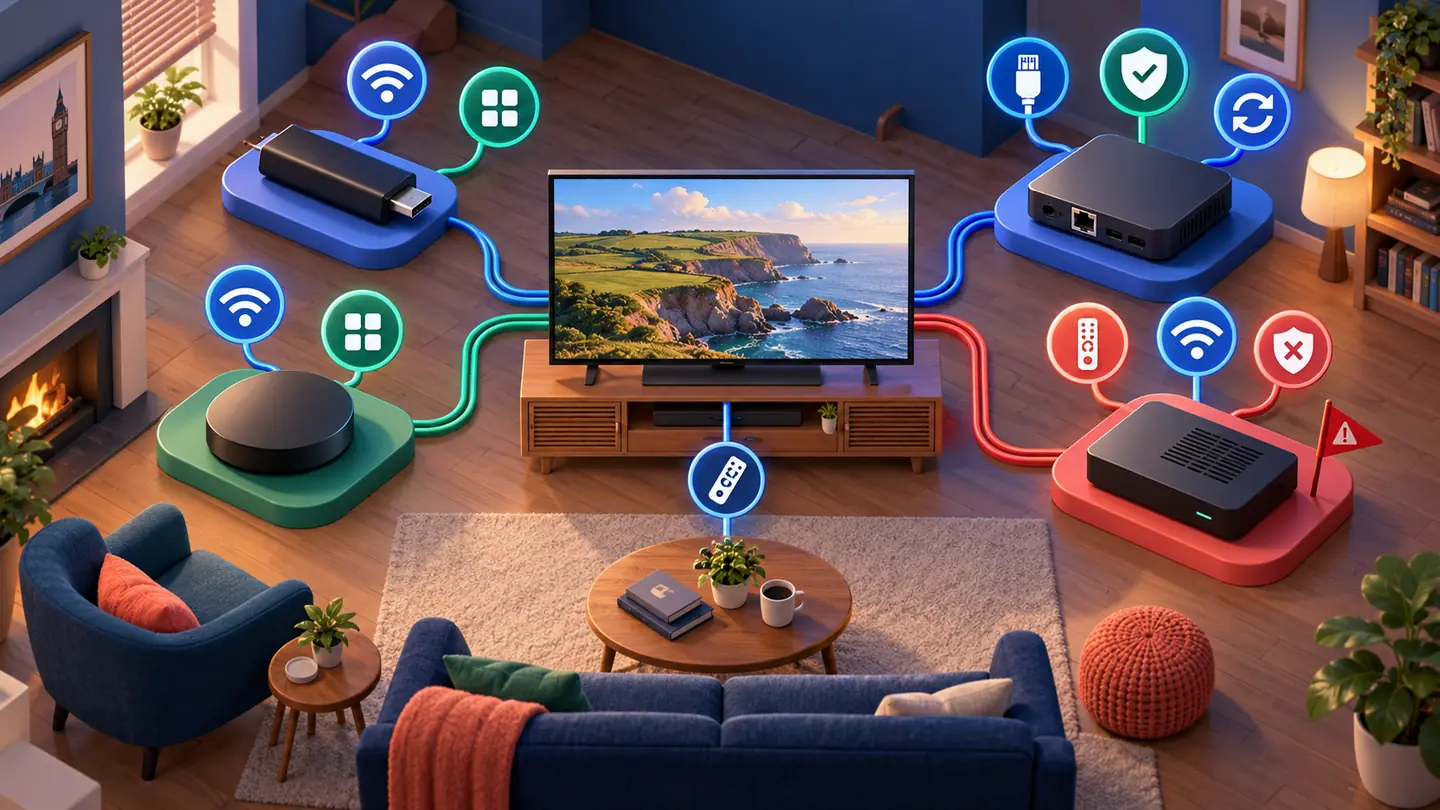
Choose an IPTV box in 60 seconds
Answer these questions in order. Stop when one option clearly fits. This is quicker than comparing twenty processor names invented to sound like spaceships.
Does your preferred player exist on the device?
If no, reject the box. Do not buy hardware first and negotiate with reality later.
Do you need Ethernet?
For a fixed main television, a built-in gigabit port is the cleanest option. A reputable adapter is acceptable for a stick, but include its cost and cable clutter.
Is live TV your main use?
Choose a remote with number, guide, channel and playback controls—or a dedicated box whose software is designed around an EPG. A minimalist remote is pretty until you press seven buttons to reach yesterday’s programme.
Will the box also run Netflix, iPlayer or Prime Video?
Choose a certified mainstream platform. Official certification and DRM support matter more here than raw specifications.
Do you want the lowest price or the lowest hassle?
A stick usually wins on purchase price. A premium or dedicated box may win over several years through faster menus, better networking and longer support.
Default recommendation: if you remain undecided, buy a current, Play Protect-certified Google TV device or a current Fire TV device from an established retailer with a straightforward return policy. Choose the specific model only after confirming your player app and network needs.
IPTV box specifications that genuinely matter
A specification is useful only when it changes what you see or how the device behaves. Here is the order we would use when comparing two boxes.
1. Platform, certification and updates
This is the foundation. Look for a current operating system, a visible update policy and a manufacturer with a support site. On Android-based hardware, check Play Protect certification in the Play Store under Settings → About. Google warns that uncertified devices may not be secure, may miss system or app updates and may not run features correctly. Read Google’s official certification guidance before buying an unfamiliar model.
2. App compatibility—not “Android” in large letters
Confirm the exact app on the exact platform and in the UK region. Android TV, Google TV, Fire TV and phone/tablet Android do not have identical stores or interfaces. An app that installs can still be awkward if it was designed for touch rather than a remote.
3. Network hardware
For Wi-Fi, dual-band support is the minimum sensible baseline; Wi-Fi 6 can help in a busy home when the router also supports it. For a stationary main television, Ethernet removes radio interference and makes diagnosis easier. It does not improve a poor source stream, but it gives the box a clean path to the router.
4. Video decoding and output
Match the device to the television: 1080p for a Full HD screen; 4K output for a 4K screen. HEVC/H.265 hardware decoding is valuable because it delivers good quality at lower bitrates than older codecs. AV1 support can improve future compatibility, while HDR10, HDR10+ and Dolby Vision matter only if both the content and television support them.
An “8K” badge is not a performance guarantee. Most viewers benefit more from reliable 4K decoding, correct frame-rate handling and stable software. Dave’s box could technically open an 8K sample. It then navigated the programme guide like a shopping trolley with one square wheel.
5. Memory and storage
RAM affects multitasking and guide responsiveness, but the operating system’s optimisation matters too. For modern Android/Google TV hardware, 2GB is a practical floor and 3–4GB gives more breathing room; do not compare RAM across Apple TV and Android as though the numbers mean the same thing.
Storage matters if you install many apps, download artwork-heavy guides or record locally. Check usable storage, not only the headline figure, and confirm whether external storage supports apps or merely media files.
6. Remote, ports and daily ergonomics
The remote is the part you touch every day. Look for Bluetooth or reliable infrared, sensible navigation, volume and power control, and buttons that suit how you watch. Also check HDMI version, Ethernet speed, USB ports, microSD support and whether an HDMI cable is included.
7. Cooling and power
A box hidden behind a hot television needs ventilation. Persistent overheating can produce stutters that resemble a broadband problem. Use the supplied power adapter rather than an underpowered TV USB port unless the manufacturer specifically approves USB power.
How much should an IPTV box cost in the UK?
Prices change often, so fixed “best box under £X” lists age badly. A more durable approach is to decide which tier you need.
Budget: simple streaming
A current streaming stick or entry-level certified puck is enough for one app, a secondary television and reliable 1080p or 4K playback. Budget separately for an Ethernet adapter if needed.
Mid-range: main-TV comfort
Look for more memory, useful storage, stronger Wi-Fi, built-in Ethernet or a better remote. This is the sweet spot for most homes that use the box every day.
Premium: speed or specialist controls
Pay more for long-term software support, excellent navigation, gigabit Ethernet, a refined remote or a dedicated live-TV interface—not merely a shiny case and an “8K” sticker.
The hardware and the subscription are different purchases. Do not treat a suspiciously cheap “box plus lifetime subscription” as a normal bundle. Legitimate content has continuing rights and delivery costs; “lifetime” often means the seller’s lifetime on that marketplace account.
Seven IPTV box warning signs to avoid
- “Fully loaded” with premium channels: the hardware itself may be lawful, but preconfigured access to unauthorised streams is not a harmless bonus.
- Lifetime service with no named operator: there is no credible support or renewal model behind the promise.
- No manufacturer support page: if firmware, manuals and contact details do not exist before purchase, they will not appear when something breaks.
- Android without certification: a mobile build stretched onto a television can have poor remote support, missing DRM and uncertain security.
- Only headline specifications: RAM and storage are listed, but processor, codec support, Ethernet speed, operating system version and update policy are missing.
- Copied reviews or identical five-star language: look for reviews that mention drawbacks, software version and long-term use.
- A seller asks you to disable every security feature: sideloading can be legitimate, but permanent security disablement is not a sensible setup plan.
Is an IPTV box legal in the UK?
Yes: a streaming box is ordinary hardware and has many lawful uses. Legality depends on the content and access method. The UK Intellectual Property Office advises consumers to avoid devices configured for illicit streaming and explains how to identify them in its guidance on illicit streaming devices. Buy the hardware from a reputable retailer and use authorised services and apps.
How to set up an IPTV box safely
- Connect HDMI and proper power. Select the matching HDMI input on the television.
- Choose Ethernet where practical. Otherwise connect to the 5GHz or 6GHz Wi-Fi band when coverage is strong.
- Install system updates first. Restart after the update before adding apps.
- Check certification and security. Keep Play Protect or the platform’s equivalent protection enabled.
- Install a legitimate player from the official store. If sideloading is necessary, use the developer’s official source and verify the file.
- Add only authorised service details. The box, app and service remain separate.
- Set the guide time zone to Europe/London. Confirm daylight-saving time and refresh the EPG.
- Test live TV, on-demand and subtitles. Try several qualities and let the device run for at least 20 minutes.
- Make favourites and remove clutter. A useful home screen beats an impressive app count.
If playback freezes, do not immediately buy another box. Test one channel, one device and one wired connection to separate a device problem from Wi-Fi or service trouble. Our IPTV buffering diagnosis walks through that process in the right order.
Will a better IPTV box stop buffering?
Sometimes—but not for the reason adverts suggest. A better device can decode modern video efficiently, keep a large guide responsive, maintain a stronger network connection and avoid overheating. It cannot fix congestion at the content source, overloaded home broadband or a router hidden behind a metal cabinet.
Use this quick isolation test:
- Play the same stream on another device using the same network.
- Connect the box by Ethernet and repeat the test.
- Try a legal mainstream video app at similar resolution.
- Check whether the problem affects one channel, all channels or only peak evening hours.
- Restart the router and box, then install pending updates.
If only the box struggles while the same stream works elsewhere, hardware, app settings or device Wi-Fi is the likely path. If every device fails at the same time, replacing the box is an expensive way to avoid looking at the network or service.
Match the IPTV box to the service before paying
Ask a provider which login methods it supports: an official app, Xtream-style credentials, an M3U playlist or a portal/MAC activation. Then confirm that your chosen player and box support that method. Test the complete chain on your own broadband and television before committing to a long term.
BritStream’s process is designed around that principle: select a plan, provide the device details, receive a test setup, confirm that it works, and pay afterwards. You can compare IPTV subscription periods when the hardware decision is clear. If you prefer a smaller device, our Fire TV setup guide explains that route step by step.
Take this five-line brief to any seller
- My television resolution and HDR format are: ___
- My preferred player app is: ___
- I need Ethernet / Wi-Fi only: ___
- I need mainstream apps as well: yes / no
- I expect software updates for at least: ___ years
IPTV box FAQs for UK buyers
What is the best IPTV box in the UK?
For most homes, the best choice is a current Fire TV or Play Protect-certified Google TV device that supports the required player. Apple TV suits Apple households that value polish, while a Formuler-style box suits viewers who want a dedicated live-TV guide and remote. The best model depends on app, network and budget—not one universal ranking.
Do I need an IPTV box for a Smart TV?
No. If the Smart TV has a supported player, receives updates and runs smoothly, use it. Add a separate box when the TV lacks the app, feels slow, has weak Wi-Fi, cannot decode the required video format or no longer receives useful updates.
Is an Android IPTV box better than a Fire TV Stick?
A certified Android or Google TV box usually offers more ports, storage and app flexibility. A Fire TV Stick is cheaper, compact and simple. Choose the box for built-in Ethernet, heavier use or a particular Play Store app; choose the stick for value and a tidy secondary-TV setup.
How much RAM does an IPTV box need?
On Android/Google TV, 2GB is a sensible minimum and 3–4GB helps large programme guides and app switching. RAM alone does not guarantee speed: processor, software optimisation, storage quality and cooling also matter. Do not compare Apple TV and Android memory numbers directly.
Can I use an IPTV box without a subscription?
Yes, for free authorised apps, catch-up services, local media and other mainstream streaming. A player app does not include paid channels by itself. Access to subscription content requires a separate legitimate service or account.
Does an IPTV box need Ethernet?
No, good Wi-Fi can work well. Ethernet is preferable for a fixed main TV because it removes wireless interference and simplifies troubleshooting. If a stick has no port, a compatible Ethernet adapter may provide a wired option.
Final verdict: buy the boring evidence, not the exciting sticker
The strongest IPTV box is not necessarily the one with the biggest number on its listing. It is the one that runs your chosen app, receives real updates, stays connected, decodes your television’s formats and lets everyone in the house find a programme without summoning the family’s unofficial IT department.
Dave eventually returned the mystery box. He chose a certified device with fewer badges, a better remote and a manufacturer support page. Saturday football played smoothly. The box did not butter toast—but Dave has decided the kitchen is better at that anyway.
Editorial method: this guide compares device categories and published platform requirements; it does not claim hands-on testing of every current model. Product specifications and app availability change, so verify the manufacturer page and UK app store before purchase. No manufacturer paid for inclusion.