What is IPTV in plain English? It is television delivered to a screen over an internet connection. The phrase describes a way of carrying TV; it does not, by itself, tell you which app to install, what a subscription includes, how well it will play, or whether a provider has permission to show each programme.
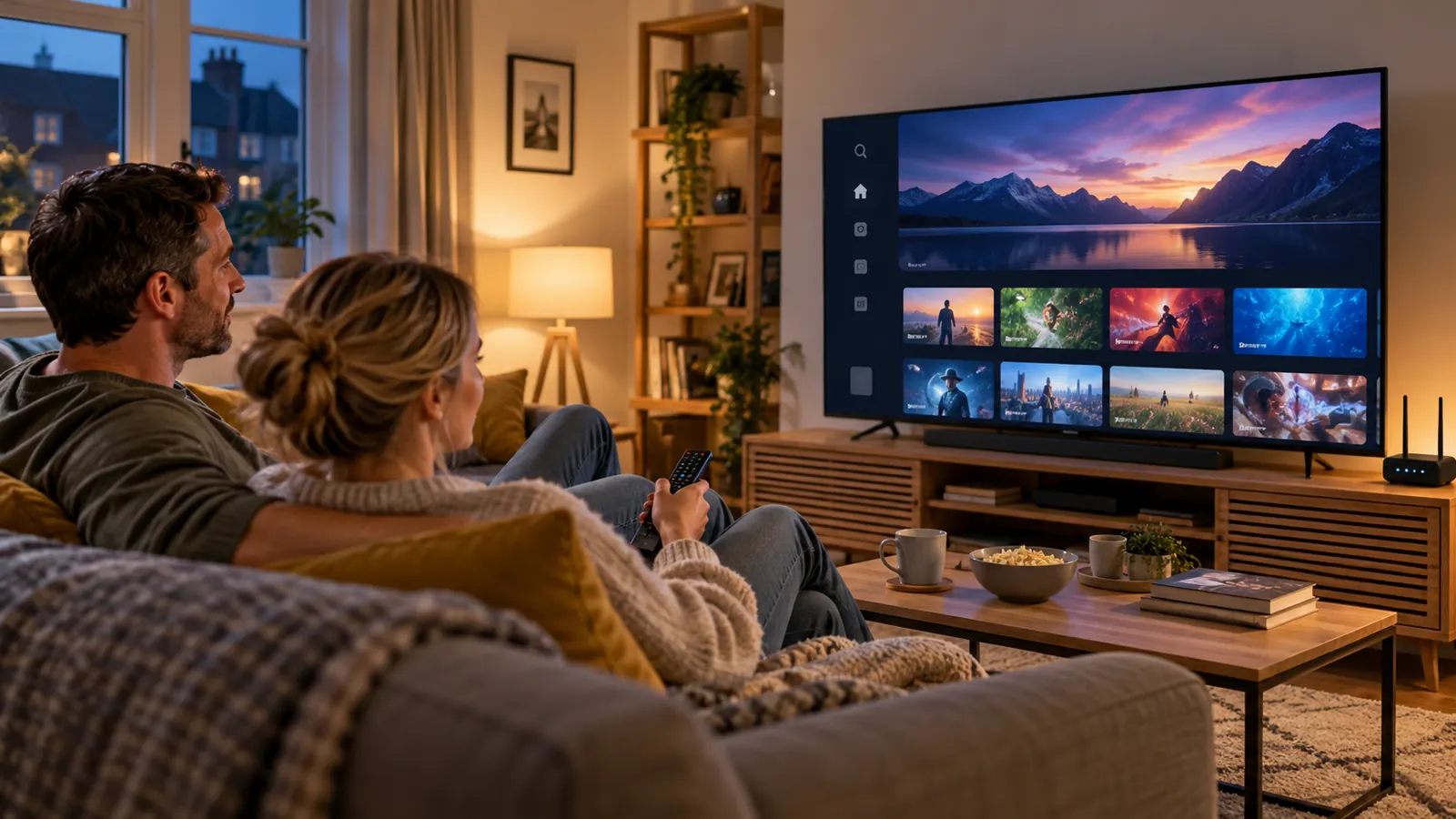
The short answer: what is IPTV?
IPTV means Internet Protocol Television: television content delivered using internet protocol networks rather than arriving only through a traditional aerial, satellite dish or cable feed. Ofcom uses IPTV for television channels delivered through the internet. In everyday conversation, people also use the term for internet-based live TV and on-demand services.
The distinction that saves the most confusion is this: IPTV is the delivery method; a service supplies the account and content; a player app provides the controls; and your television or streaming device displays it. Those parts work together, but they are not interchangeable. Installing a player does not create a subscription, and an internet connection does not prove that a content source is authorised.
What IPTV means—and what the term does not tell you
“Internet Protocol” is the addressing and transport system used to move data across networks. With internet television, video is encoded into data, sent across a network and decoded by a compatible screen or box. The viewer chooses a channel or programme in an app, and the device requests the relevant stream.
That description covers more than one kind of product. A broadband company may deliver TV through a set-top box on its managed network. A broadcaster may offer live channels in its own app. Another service may provide a programme library over an ordinary home broadband connection. People may call all three “IPTV”, although their contracts, apps, delivery systems and content rights can be different.
That is why a headline such as “IPTV includes every channel” is not a useful definition. The term alone does not tell you what channels are available, who owns or licenses them, whether catch-up is included, how many devices may connect, or whether a particular television supports the app.
How IPTV reaches your television
The exact infrastructure depends on the service, but a simple viewing session follows a familiar path:
- A broadcaster or rights holder makes a programme available. A distributor needs the appropriate permission for the content and territory it offers.
- A TV service prepares the stream. Video is encoded into a format that compatible apps and devices can decode. A service may also provide a live schedule, catch-up window or on-demand catalogue.
- Your player requests the item. The app connects to the service using its normal sign-in, account or subscription process, then requests the selected channel or programme.
- Your home network carries the data. The stream travels through your broadband connection and router to the device. Wi-Fi conditions, network congestion and other household activity can affect playback.
- Your screen decodes the video and audio. The app presents controls and information; the TV, streaming stick, box, phone or tablet does the playback work.
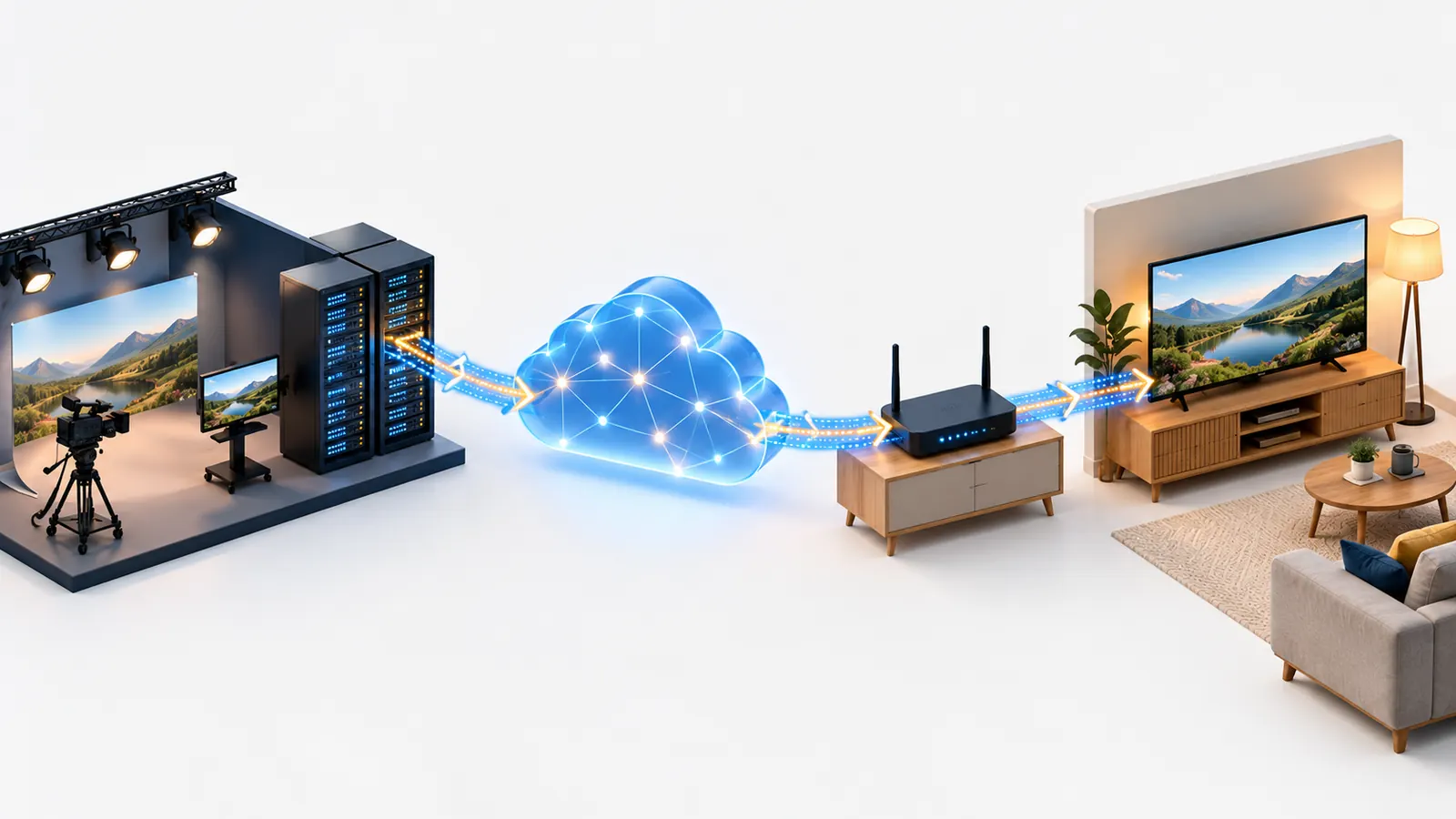
This is a practical model, not a claim that every provider uses the same server design. Some TV systems use a managed network; many consumer apps use internet delivery across a home broadband connection. If the picture pauses, the cause may sit at more than one point in the path. A fast result on a phone beside the router cannot guarantee the same wireless signal at a television in another room.
IPTV, OTT, streaming app and TV subscription: the difference
These terms often appear together on product pages. Separating them makes it easier to compare what you are actually being offered.
| Term | What it describes | What it does not guarantee |
|---|---|---|
| IPTV | Television delivered using internet protocol networks. In consumer use, the label can cover managed TV and internet-delivered channels. | Specific channels, picture quality, app compatibility or content rights. |
| OTT streaming | A service delivered over the public internet through an app or website, rather than solely through a provider’s managed TV network. | That every service using the internet has the same catalogue or contract. |
| Player app | Software on a TV, stick, box, computer or phone that displays a library or plays a stream. | A TV package, subscription, channel list or permission to distribute a programme. |
| Provider or subscription | The company or service that supplies the account, access terms, support and whatever content is included. | That a separate player app is free, or that every device can run it. |
“IPTV versus streaming” is not always a strict either-or comparison. IPTV is a broad way to deliver television, while streaming describes the continuous playback of media as data arrives. The word OTT is often used for services carried over the public internet. Product pages do not always use these labels consistently, so read the service description and terms rather than deciding from the acronym alone.
Some apps also offer different sign-in formats. An Xtream-compatible login, an M3U playlist and a device-pairing portal are different ways an app may connect to a service. They are not TV services by themselves. Our Xtream Code UK setup guide explains the difference between the login fields, a playlist link and playback troubleshooting.
Live TV, catch-up, on-demand and the programme guide
An internet TV service may combine several viewing formats. The names sound familiar, but they describe different ways to access programmes:
- Live TV follows a channel’s broadcast schedule. You join what is being shown at that time.
- Catch-up TV makes selected programmes available after their original broadcast, usually for a defined period. The service decides what is included and for how long.
- Video on demand (VOD) lets you select a film or programme from a library and start it when you choose. Availability can change under the service’s terms.
- An electronic programme guide (EPG) is schedule information: programme names, channels and times. It is metadata, not the video stream itself.
A channel list can load while the EPG is empty, or a programme guide can display while one stream fails. These are separate parts of the experience. Check which part stopped working before changing app settings or reinstalling software.
Is IPTV legal in the UK?
IPTV is a delivery technology, not a licence. Whether a particular channel or programme is being offered lawfully depends on the rights behind that content and the service distributing it. The UK Government’s guidance describes illicit streaming as viewing content without the copyright owner’s permission, whether it is watched on a box, smart TV, laptop or phone. A familiar device or polished app cannot establish that a catalogue is authorised.
Before paying a provider, look for clear company details, readable terms, a working support route and a straightforward explanation of what the subscription includes. Check that its claims are realistic and that it can explain the rights or authorised sources for the content it advertises. An unusually low price or vague ownership details are reasons to pause and investigate; by themselves, they are not a legal finding.
Ofcom’s consumer information also explains that internet-delivered channels are not automatically covered by the same Ofcom rules as channels on a regulated electronic programme guide. That point concerns broadcast standards and regulation; it is separate from copyright permission. Use Ofcom and government guidance for the current detail, and seek qualified legal advice if you need advice about a specific provider or situation.
TV Licensing says you need to be covered when you watch or record live television on any channel, TV service or streaming service, and to use BBC iPlayer. Its rules also distinguish that from watching on-demand programmes on other services. Check the current TV Licensing guidance for watching online for the circumstances that apply to your household.
What do you need to watch IPTV at home?
You do not need a particular brand of television to understand the basics. You need a suitable screen or streaming device, an internet connection, a compatible app where required, and a service that clearly supports your chosen device and login method.
- Broadband that works reliably where you watch. A speed test is one clue, but it does not measure every factor. Test from the viewing device if possible and notice whether other devices are using the connection at the same time.
- A compatible device. Smart TVs have different operating systems and app catalogues. App availability can vary by model, year and region; “smart TV” alone is not enough detail.
- A legitimate player or broadcaster app. Use the TV’s official app store or the publisher’s trusted distribution route. Check the app listing for the login or service it supports.
- Account details and clear terms. Know whether you are signing into a broadcaster, broadband provider or separate subscription. Keep passwords and private playlist URLs out of public screenshots.
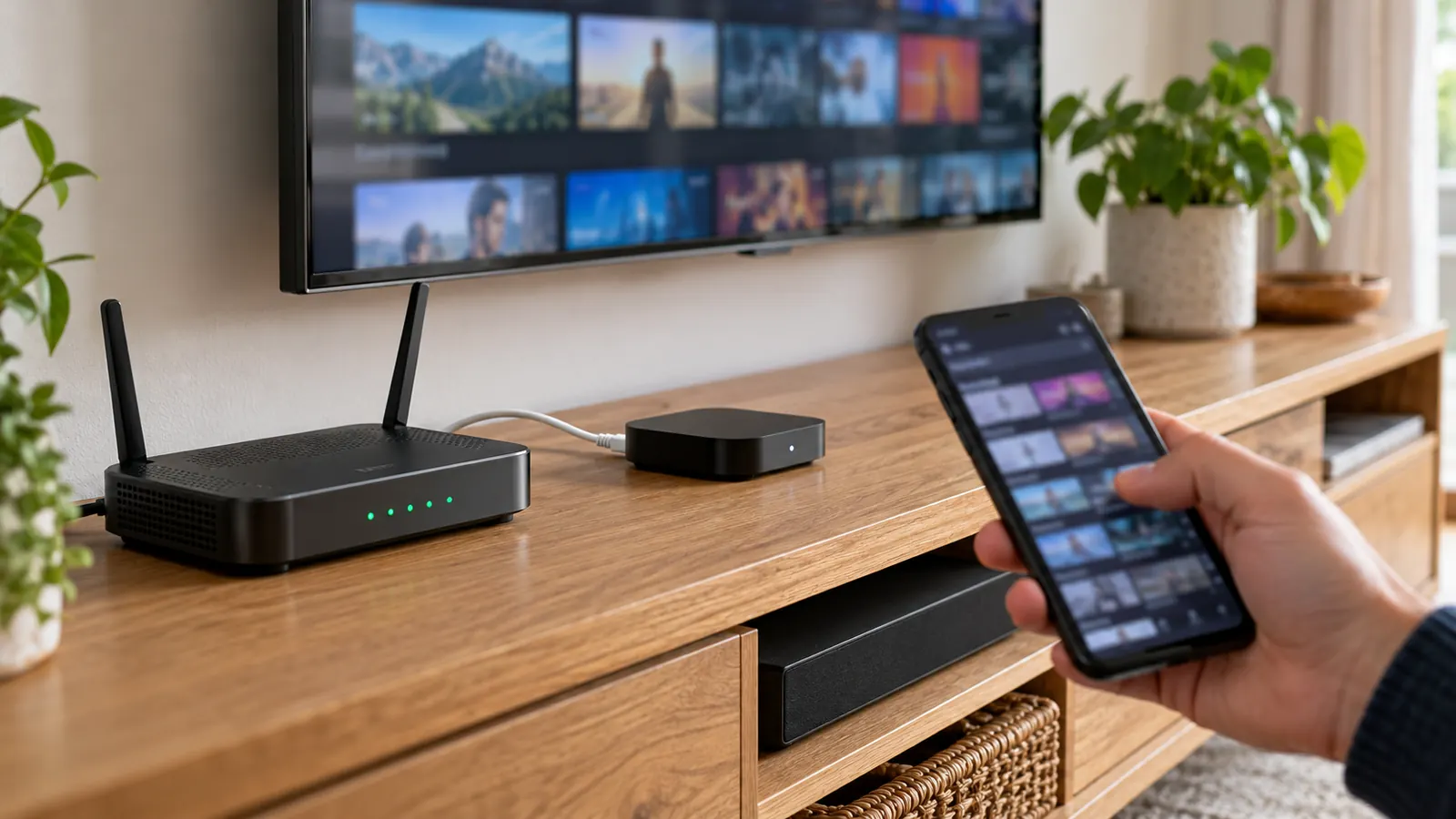
If you use Amazon Fire TV, follow the device-specific IPTV on Firestick UK setup guide. For Samsung televisions, check the exact model and Samsung app store before installing; the Samsung Smart TV guide covers that decision. The Apple TV setup guide covers tvOS. Start with the hardware you already own and confirm compatibility before buying another device.
What affects picture quality and buffering?
Resolution labels such as HD or 4K describe the picture format a source may provide; they do not guarantee that every stream will arrive at that quality on every screen. The service must supply the format, the device must support it, and the connection must carry it consistently. The number of people using the home network, Wi-Fi interference, the player’s decoder and problems at the source can all matter.
For a useful first check, try a familiar video app on the same device, compare Wi-Fi with Ethernet if practical, and note whether one item or everything is affected. A VPN cannot create bandwidth, fix a weak wireless signal or prove that a content source is licensed. Avoid advice promising “zero buffering” as a certainty: live video depends on the whole route from source to screen.
When reporting an issue, record the device model, app name, exact message, whether you can sign in, whether categories appear, and what happens when you press play. This gives support a clearer starting point than “IPTV is broken”.
How to compare an IPTV service before subscribing
Use the same questions for every service so the comparison is about the offer, not just a large channel count or a bold picture-quality claim:
- What exactly is included? Look for a clear list or description of live, catch-up and on-demand features, plus any limits that matter to you.
- What devices and apps are supported? Ask about your exact TV or streaming device, supported login format, simultaneous connections and any separate player fee.
- Who is responsible for support? Find a contact route, support hours or response expectations, and steps for reporting a fault.
- What happens to your money and account? Read the price, renewal, cancellation, refund and privacy terms before sending details or paying.
- Can the provider explain content permission? Ask how its advertised channels and programmes are authorised. If the answer is evasive, do not treat technical setup instructions as proof of rights.
A short compatibility test on the device you plan to use can answer practical questions about app availability and playback. It cannot replace checking the service terms or content rights. If you are comparing plan lengths, read the full conditions on the BritStream subscription plans page before deciding.
What Is IPTV? FAQs
Does IPTV need broadband?
Internet-delivered television needs a network connection. A managed TV service may use a provider’s own equipment or network, while an app-based service normally uses your home broadband. Check the particular provider’s requirements.
Is IPTV the same as Netflix or another streaming app?
They all use internet delivery, but the labels describe different things. IPTV is a broad term for television over internet protocol; Netflix is a subscription streaming service commonly described as OTT. The app, service and delivery method should not be confused.
Is IPTV legal in the UK?
The technology itself is neutral. The key question is whether the service has permission to distribute the content it offers. A device, app, payment receipt or VPN does not answer that question. Check official guidance and the provider’s terms.
Do I need a TV Licence to watch IPTV?
TV Licensing says a licence is required to watch or record live TV on any channel or service, including online, and to use BBC iPlayer. Rules for on-demand programmes on other services differ. Check the official guidance for your viewing habits.
Does an IPTV app include channels?
Not necessarily. A player may only display content from a separate broadcaster or subscription account. Check whether the app is a player, a broadcaster’s service or the provider of the subscription before paying.
Sources: Ofcom: Information on IPTV; GOV.UK: Illicit streaming devices; TV Licensing: Watching TV online.